Overview

Microsoft Project software is an indispensable project management tool in the arsenal of project managers worldwide. It offers a robust platform for planning, executing, and tracking projects of varying complexities. In this course, we will delve into the features, capabilities, the benefits and further elucidate how it can empower you and your organization to streamline workflows, optimize resource allocation, and drive project success.

This course is ideal for practicing Construction professionals, event planners, engineers, bankers, architects, scientists, medical practitioners, legal practitioners and in fact, anyone involved in any kind of project.
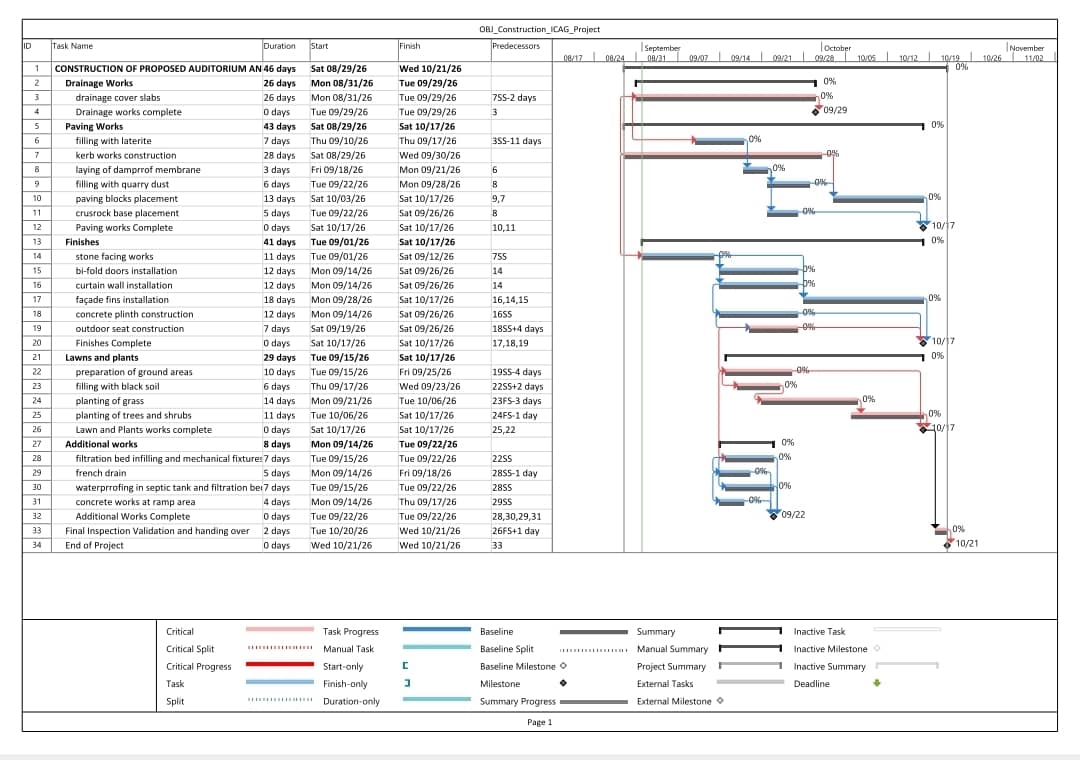
Some of the key features and Capabilities of this software include:

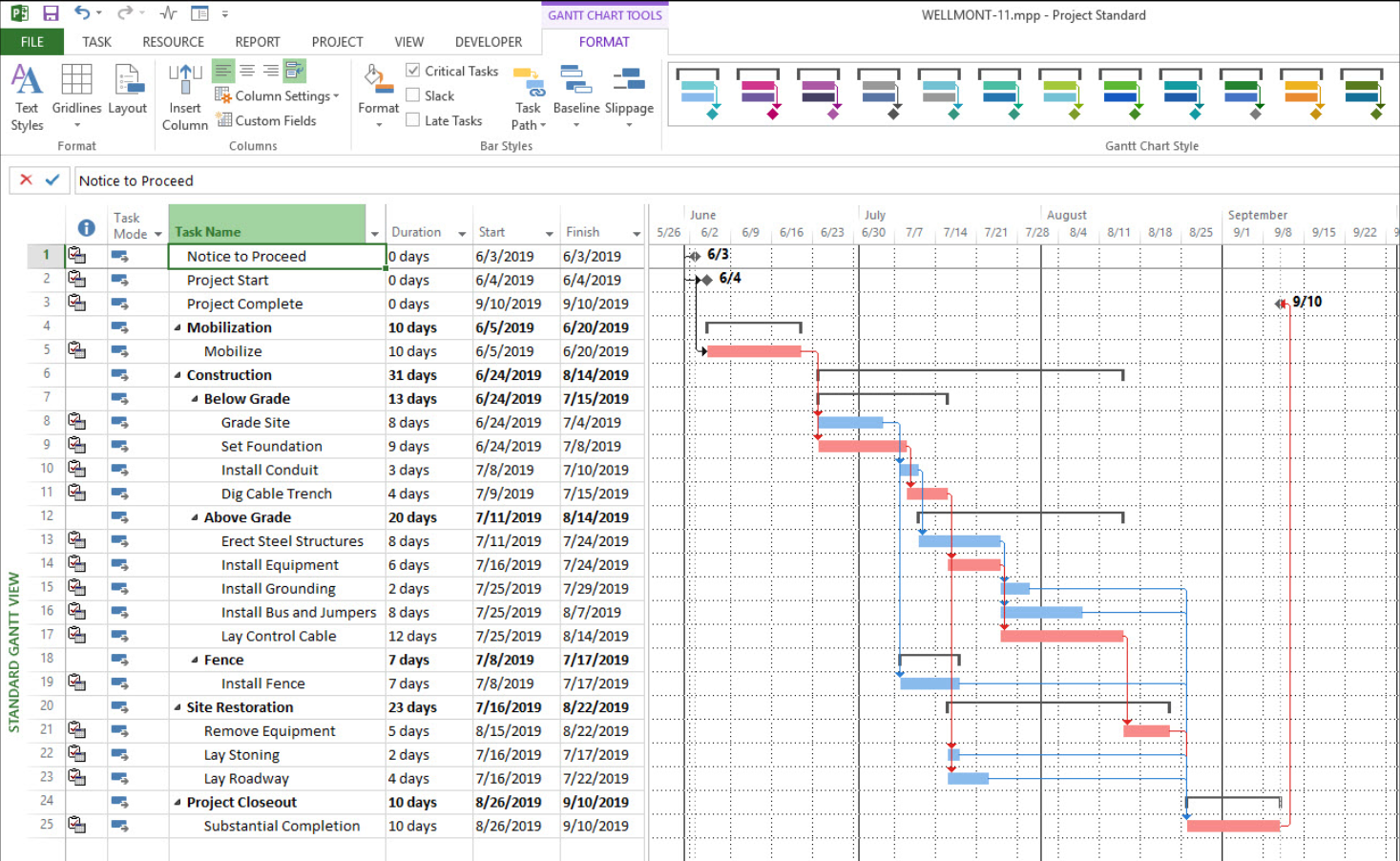
  • Project Planning and Scheduling: Microsoft Project provides a versatile platform for creating project plans, defining tasks, setting dependencies, and establishing timelines. Its intuitive interface allows project managers to visualize project schedules easily, facilitating efficient planning and coordination.
  • Resource Management: Efficient resource allocation is critical for project success. Microsoft Project enables project managers to assign resources to tasks, track resource utilization, and identify potential bottlenecks. With features like resource leveling and capacity planning, organizations can optimize resource allocation to maximize productivity.
  • Task Management and Tracking: Tracking project progress is simplified with Microsoft Project's comprehensive task management capabilities. Project managers can monitor task completion, track milestones, and identify deviations from the project plan. Real-time updates ensure that stakeholders stay informed about project status and progress.
  • Collaboration and Communication: Effective collaboration is essential for project success. Microsoft Project facilitates seamless communication and collaboration among project team members through features like file sharing, team calendars, and integrated communication tools. Teams can collaborate in real-time, share updates, and address project-related issues promptly.
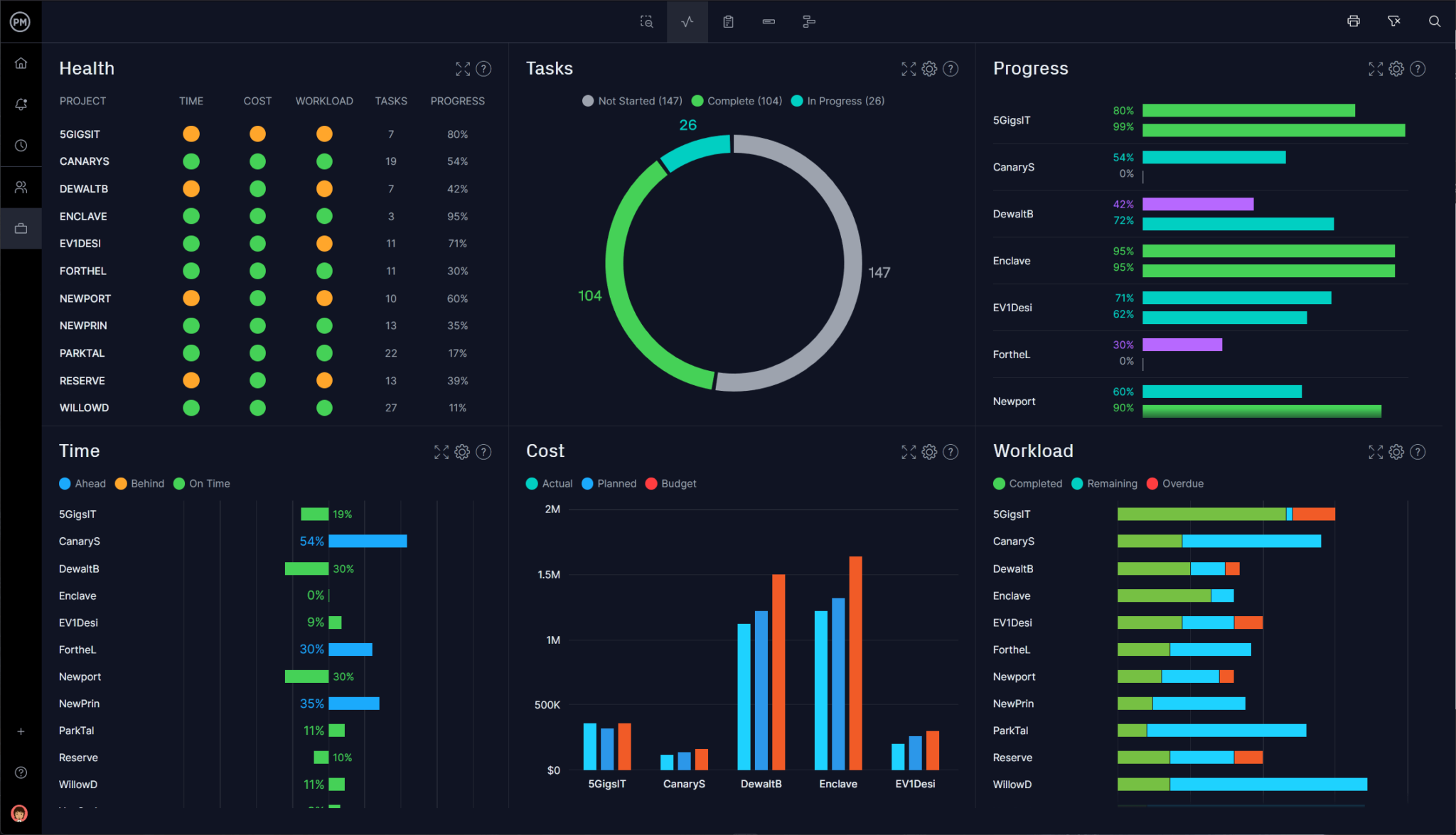
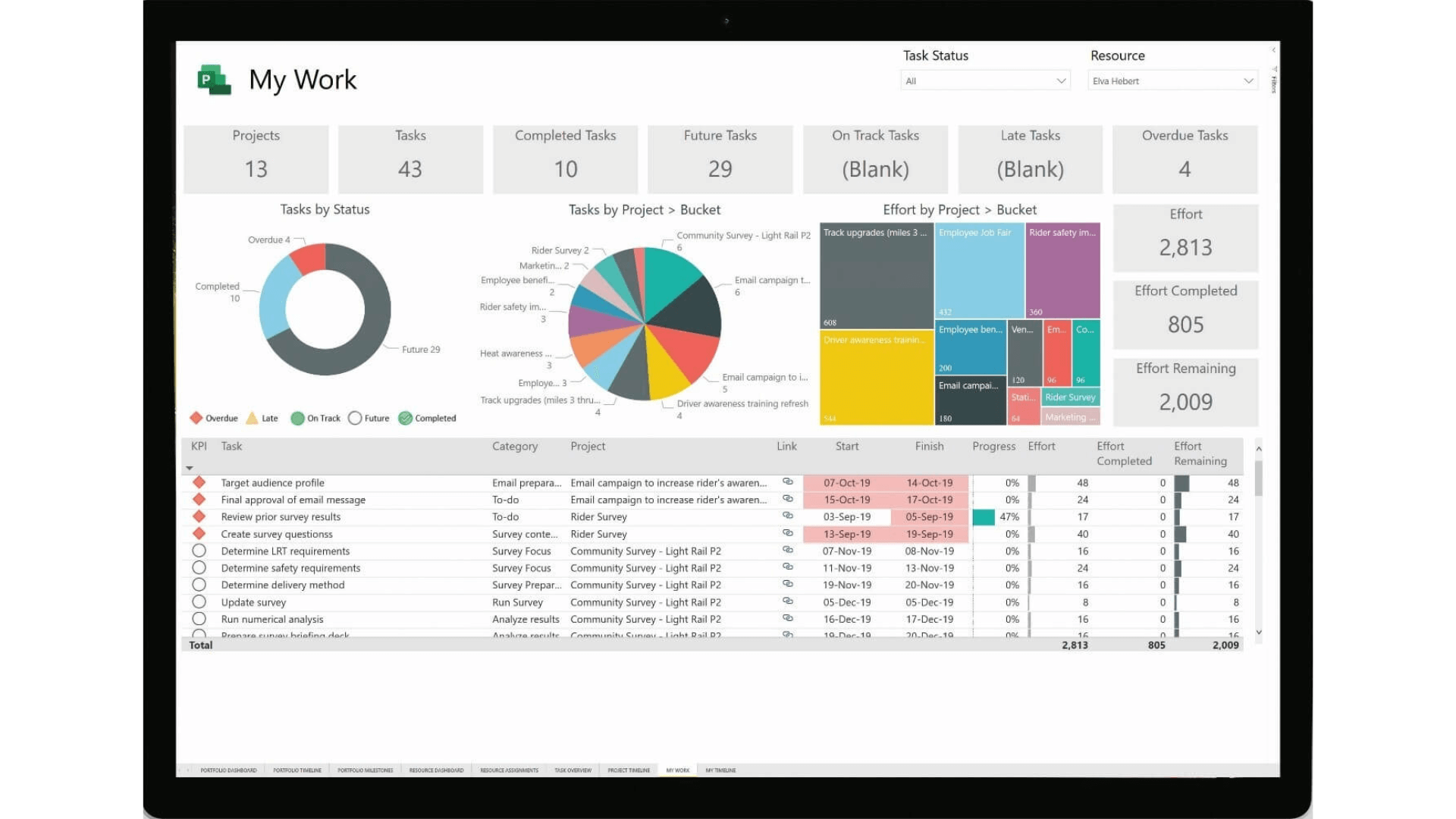
  • Reports and Analysis: Microsoft Project offers robust reporting and analysis tools that provide insights into project performance, resource utilization, and budgetary status. Customizable dashboards and reports enable stakeholders to track key metrics, identify trends, and make informed decisions to steer projects towards success.
  • Budgeting and cost control: Users can set and track budgets by defining costs for resources and monitoring expenses throughout the project's lifecycle.
  • Project portfolio management (PPM): Higher-tier versions offer features to help organizations analyze and manage multiple projects based on strategic business drivers.
MS Project Versions

Available Versions

Microsoft offers Project in several versions to accommodate different needs:

  • Project desktop: An on-premises application for Windows, available in Standard and Professional editions.
  • Project for the web: A simpler, web-based application for team collaboration. Now part of the new Microsoft Planner.
  • Project Online: A cloud-based, enterprise-level solution for portfolio and resource management.

Common Use Cases

Due to its comprehensive feature set, Microsoft Project is used across various industries, including:

  • Construction: Managing timelines, budgets, and resource allocation for complex building projects.
  • Information Technology (IT): Planning software development, infrastructure upgrades, and system implementations.
  • Manufacturing: Scheduling production, managing inventory, and optimizing processes.
  • Healthcare: Planning new facility construction or managing equipment and IT system upgrades.
  • Marketing: Coordinating campaigns, product launches, and other initiatives.

Who Should Sign Up for These Project Software Trainings?

Our project management software trainings are designed for professionals and organizations seeking to sharpen their project delivery capabilities. Whether you are just starting your career or managing complex portfolios, these trainings are tailored to meet your needs. You should consider signing up if you are:

  • Project Managers & Team Leads looking to master tools like MS Project, Primavera P6, or Jira to plan, track, and deliver projects more effectively.
  • Business Analysts & Consultants who want to leverage Trello, Confluence, or Slack for better collaboration, documentation, and workflow efficiency.
  • Engineers, Architects & Construction Professionals who rely on Primavera P6 and MS Project for scheduling, resource allocation, and large-scale project control.
  • IT & Agile Teams adopting Jira, Trello, and Confluence to streamline sprints, product development, and cross-team communication.
  • Executives & Decision Makers who need to understand how these tools improve project oversight, reporting, and strategic alignment.
  • Students & Aspiring Project Managers preparing to enter the workforce with in-demand digital project management skills.

With this training, participants gain not only technical proficiency but also practical insights to apply the tools effectively in real-world project environments.

Benefits of Microsoft Project

Below are some of the benefits Microsoft Project offer to project professionals:

  • Improved Project Visibility: Microsoft Project provides stakeholders with a centralized platform to access project information, fostering transparency and accountability across the organization.
  • Enhanced Efficiency: By automating manual processes and streamlining workflows, Microsoft Project helps organizations optimize resource utilization, reduce project delays, and enhance overall efficiency.
  • Greater Control and Flexibility: With Microsoft Project, project managers have greater control over project schedules, resources, and budgets. Its flexible features adapt to evolving project requirements, ensuring agility and responsiveness throughout the project lifecycle.
  • Scalability and Integration: Whether managing small-scale projects or large-scale initiatives, Microsoft Project offers scalability to accommodate varying project sizes and complexities. Moreover, its seamless integration with other Microsoft tools, such as Excel, SharePoint, and Teams, enhances collaboration and productivity.
  • Microsoft Project emerges as a powerful solution for organizations seeking to elevate their project management capabilities. With its comprehensive features, intuitive interface, and seamless integration, Microsoft Project empowers project managers to plan, execute, and track projects with precision and efficiency. Embrace Microsoft Project and unlock the potential to drive project management excellence within your organization.

If you have any question, feel free to call us

+(233) 0592813465
+(233) 538176037

Monday - Friday, 09:00 AM - 5:00 PM